Five AI Tools to Lighten Your Load, From Meeting Presentations to Customer Support
We picked an AI that joins your meetings, plus tools for document review, saving research, organizing new tabs, and handling customer inquiries. We also note what each free tier covers and what information gets stored.
This round, we picked AI tools that help with presenting and summarizing meetings, analyzing documents, and collecting material from the web. We also included a tool that turns your browser’s new tab into a workspace, and one that answers customer inquiries. Here are five worth a look if any of these tasks keep coming back around.
Cedric AI for Meetings: an AI that presents your slides in the meeting
Cedric AI for Meetings is an AI assistant that joins your meeting, presents your slides, and answers questions. It connects with Google Meet, Zoom, and Microsoft Teams. It transcribes what people say and pulls together a summary, decisions made, and action items. You can use it through the web app and in Slack, Telegram, and Discord.
Image: Cedric official site
It’s a good fit when you want to hand off slide presentations in recurring status meetings. It also works well for drafting the follow-up email to attendees after the meeting ends. It drafts follow-up actions in connected work tools too, then executes them only after you review and approve.
Signing up gets you 100,000 credits with no card required, and they don’t expire. The service says those credits are worth $50. Starter is $19 per month with 40,000 credits each month, and Max is $99 per month with 220,000 credits each month. To use it, you need to create an account and a workspace. The privacy notice recommends telling attendees that data is being collected and getting their consent, since meeting transcripts and recordings may be retained. Because the service is still early-stage, it also asks that you not enter highly sensitive information.
SparkBots AI: document review against criteria you set
SparkBots AI’s SparkBot is a Chrome extension that analyzes web pages and PDFs against criteria you define in advance. It extracts the information you need and links it back to the matching spot in the source. It also shows a score for each criterion and flags missing information. Once you build a set of analysis criteria, you can reapply it to similar pages or share it with your team.
Image: chromewebstore.google.com official site
It’s useful when you need to find and compare the same items across multiple reports. You can also use it to check whether a contract is missing information you need to review. Being able to open the linked source location and cross-check the content right away is a handy touch. The free plan covers 15 pages per month and up to 5 SparkBots. Paid plans are Plus and Unlimited.
The extension’s listed language in the store is English. The developer says it stores your questions and scoring settings but does not use the content you view for AI training. It reads the page when you open the panel or run a check. Even with automatic checks turned on, the page is read at that moment. The store’s privacy disclosures list personally identifiable information, authentication information, web history, and website content.
Linkly AI Clipper: save web pages in a format AI can digest
Linkly AI Clipper saves web pages as Markdown files that are easy to feed into AI tools. Markdown is a document format that uses plain characters to mark structure like headings and lists. It extracts the body text, images, and source information so you can review it in a side panel, then copy or download it. It also saves YouTube subtitles and ChatGPT and Claude conversations.
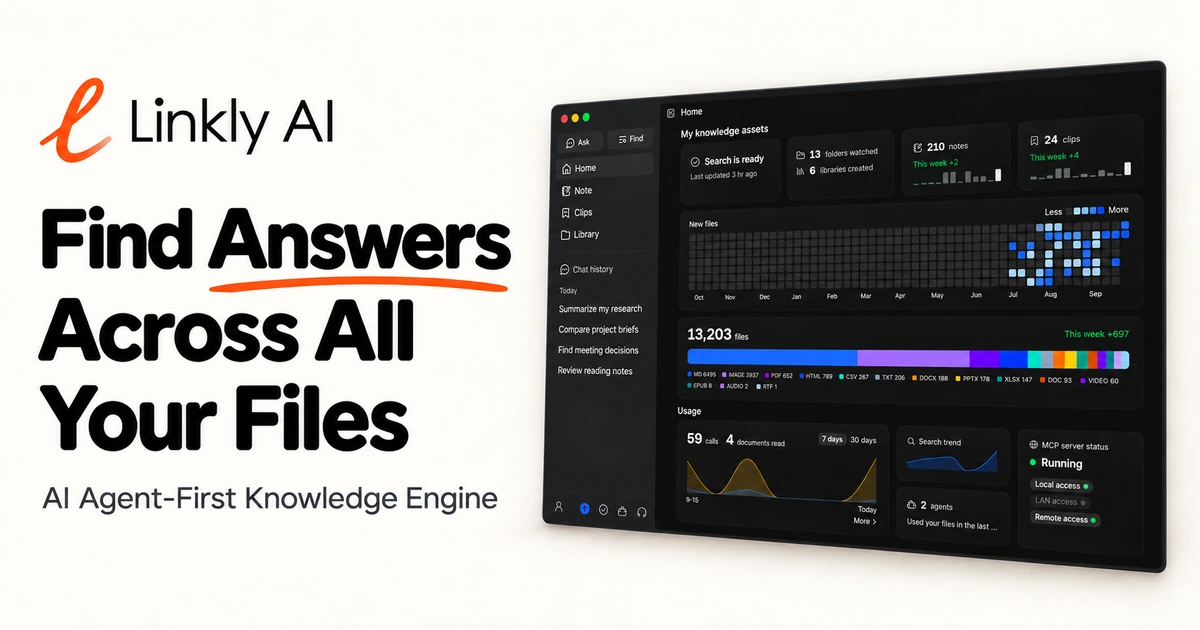
Image: Linkly AI official site
It’s handy when you want to gather research material from the web and drop it into ChatGPT or Claude. It’s also good for archiving AI conversations you’ll want to revisit. It’s an extension for Chrome 116 or later, and no separate desktop app is needed. Saving to your own device is free. Linkly AI’s Pro plan is listed at $29 per year as a limited-time early-signup price, and the pricing page also shows $66 per year.
Korean is not among the five interface languages listed in the store. You can keep saved clips on your own device, but uploading them to the cloud library stores them on the server. Using the cloud service means creating an account, which stores account details such as your email. The public library is visible to anyone, so be deliberate about where you upload material.
BaseTab AI: turn the new tab into a workspace
BaseTab AI places small widgets, like notes and to-do lists, on your browser’s new tab. You can create AI widgets by describing in words what you want them to do, and you can use ChatGPT, Claude, and Gemini inside them. It comes as a web app and a Chrome extension. The official site says Firefox is supported as well.
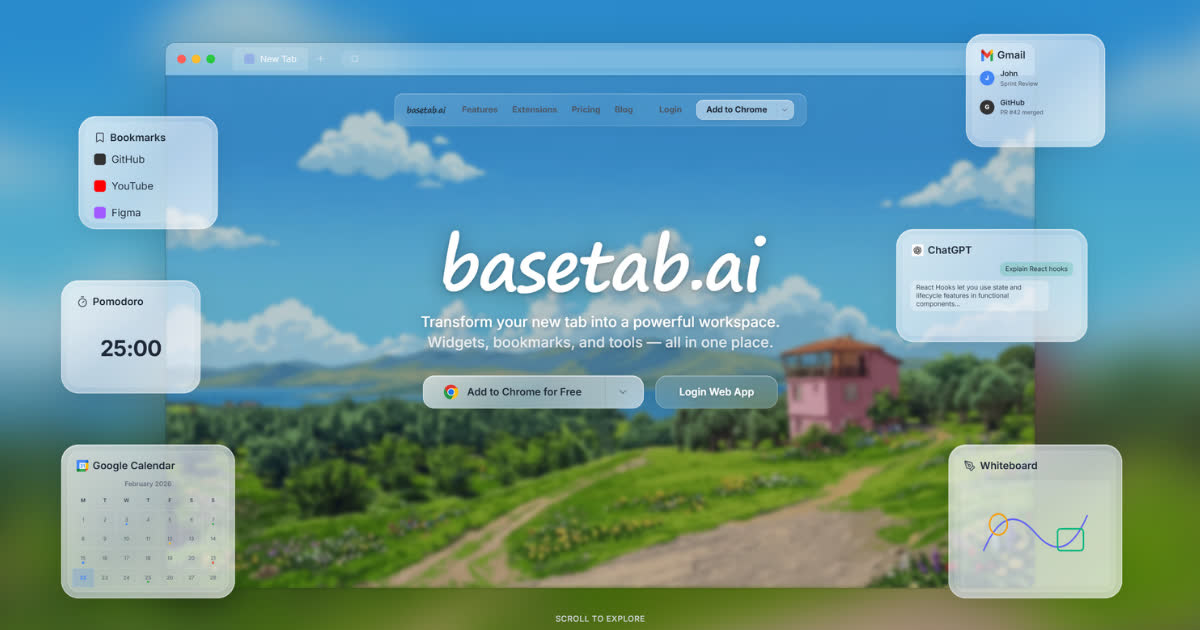
Image: BaseTab official site
It suits anyone who wants today’s tasks and notes in view the moment they open the browser. It’s also useful if you’d rather ask an AI a question on that same screen. You can start with the free plan without adding a payment card, and the paid plans are Pro and Enterprise. The extension works without signing in, but you need to sign in to sync content across devices.
Korean is included in the supported language list on the Chrome Web Store. According to the privacy policy, account details, workspaces, and the content inside widgets may be stored on the server. Usage analytics are handled with Google Analytics and Microsoft Clarity.
Knocket AI: handle customer inquiries in one place
Knocket AI handles inquiries arriving from your website, your app, and shared links all in one place. You can embed a chat window in a site or mobile app, or create a contact page with chat built in. The AI answers by referring to uploaded documents and FAQs, and hands the conversation off to a human when needed.
It’s worth considering for a small shop or a one-person business looking to offload repetitive inquiries. All you need to do is upload your help documents. Operators need an account, but visitors can chat without signing up. The contact page and chat are offered free with no card required and no cap on messages. AI support is included in the free plan too, but you pay separately for usage of the AI model you connect.
There is official Korean-language documentation. The service explains that the AI replies in whatever language the visitor writes in. Korean phrasing for handing off to a human agent is also provided. The company says knowledge material and conversation logs are used to find answers and to analyze that account, and are not used to train other companies’ models.
When choosing among these five, it helps to first narrow down exactly what you want to hand off. After that, check whether the free tier matches your actual workload, and what information gets stored.