Five AI Tools, From Sorting Your Calendar to Customer Replies and Design
A ChatGPT feature that lets you tweak conditions and compare inside a conversation, a calendar that protects your focus time, plus tools for responding to overseas buyers and presenting your product. We also flag what each free tier covers, what costs extra, and which settings to check before feeding in work data.
We picked five AI tools that help with comparing results under different conditions, scheduling, customer replies, product demos, and design work. We looked at how each one fits different situations, from personal daily routines to the workday of someone running a one-person shop or building a product.
Intelligent UI: change the variables and compare inside the chat
Intelligent UI is a feature that arrived in ChatGPT alongside GPT-6. Depending on your question, it mixes tables, charts, buttons, and input fields into its written answers. You can look over a travel plan on a map, or build a calculator for splitting the cost of a group outing, right inside the conversation. Because you can change just the input values and see the result again, there is less need to retype the question for every new condition.
Using the feature costs nothing extra. It draws on the usage limits of whatever ChatGPT plan you already subscribe to. The company plans to expand availability to the free plan starting October 8, 2026. In the US, paid personal plans run $8 a month for Go and $20 a month for Plus. Pro has three monthly price tiers: $100, $200, and $500. Prices may differ by country.
The ChatGPT interface supports Korean. The feature is rolling out in stages to the web and the latest iPhone and Android apps. It is not available in the existing macOS and Windows desktop apps. Personal conversations may be used to improve models, depending on your settings. It is worth checking your data settings before you put work material into it.
Takweem AI: write it the way you would say it, and it lands on your calendar
Takweem AI takes appointments and to-dos that you type in plain, conversational language and places them on your calendar. It connects Google Calendar and Outlook accounts on Microsoft 365 and keeps both in sync. You can use it to carve out time for writing a report between meetings, or to re-book focus time when your schedule shifts. It runs on the web.

Image: takweemai.com official site
The free plan includes 30 AI requests a month, one connected account, and one booking link. In US dollars, monthly pricing is $6 for Basic and $16 for Executive. Teams is $12 per user per month, billed from a minimum of two seats. Writing requests as sentences and asking questions about your calendar are supported in Turkish, Arabic, and English.
When creating, moving, or canceling an event, the tool proposes the change first and applies it once you approve. Automatic changes have to be switched on by the user. You can also review a log of changes and undo them. The company says it does not use calendar data to train models. Scheduling patterns the tool has memorized can be deleted in the settings.
Customer Service AI for Etsy: draft replies to buyers
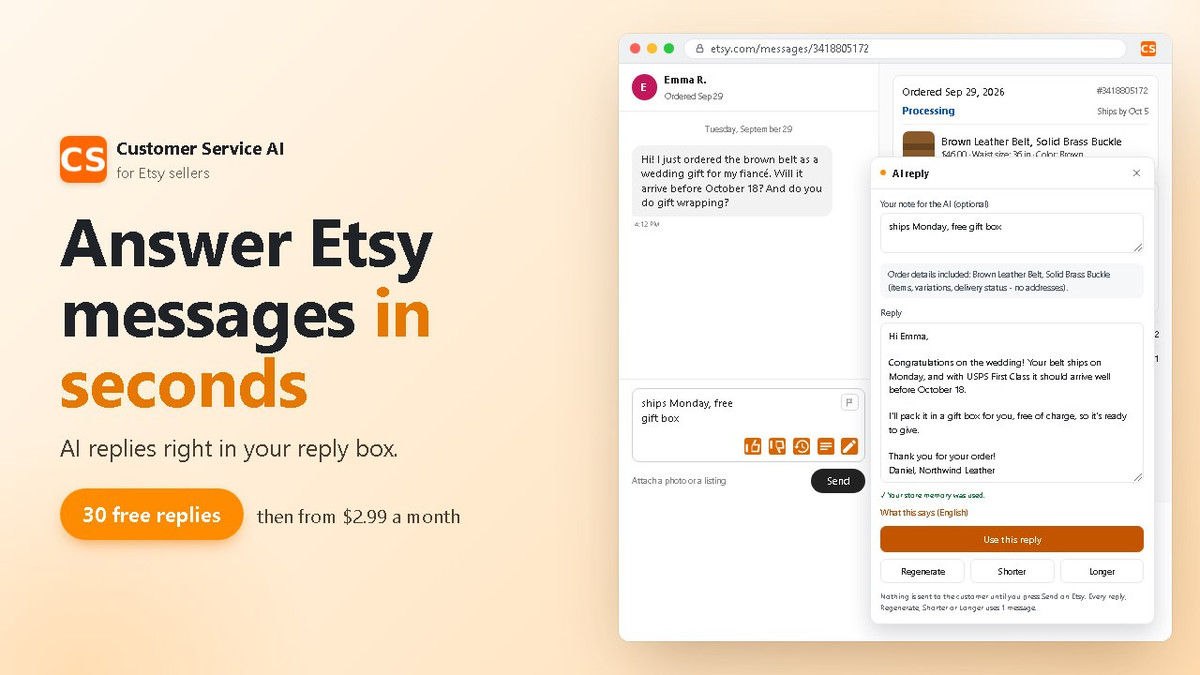
Customer Service AI for Etsy is a Chrome extension that works inside Etsy’s messaging screen. Jot down a short note and it writes a reply, pulling the order details shown next to the conversation into the text. It is useful for answering order questions from overseas buyers, or for polishing a reply you wrote in a hurry. The seller still sends the message.
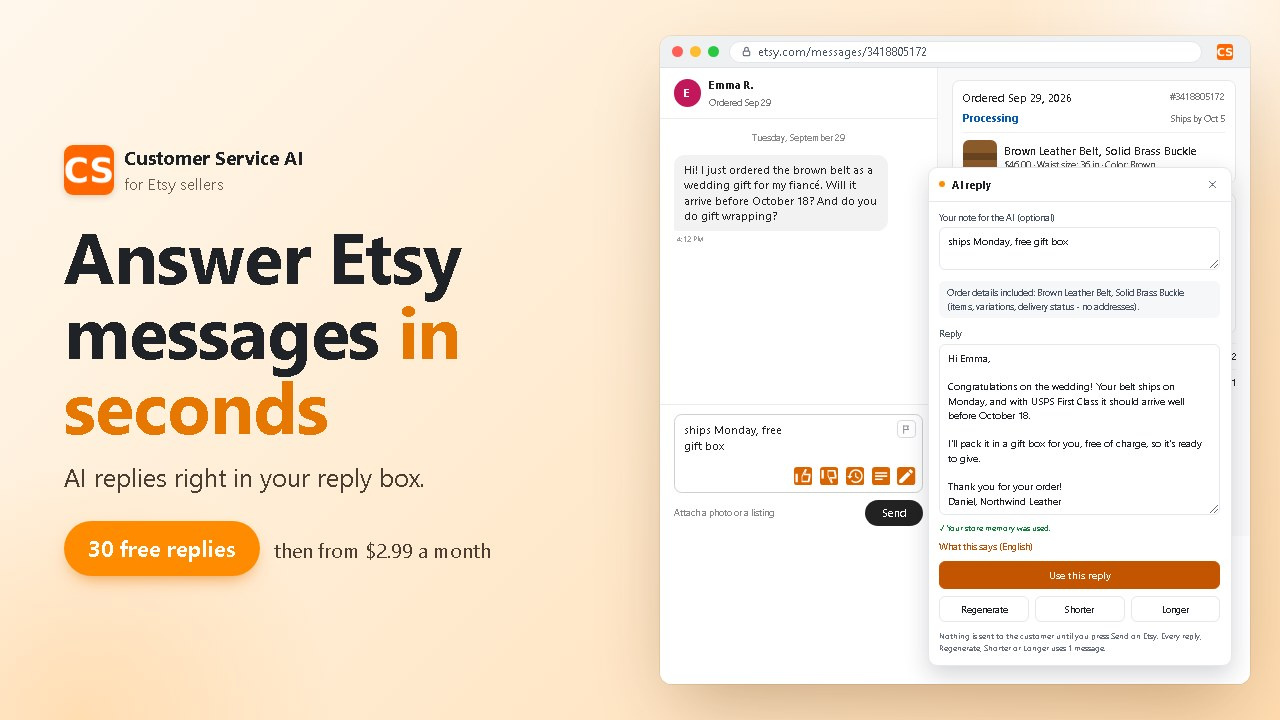
Image: msgassistant.com official site
Create an account and you get 30 free AI messages without registering a card. Another 50 messages cost a one-time payment of $2.99. The company says it writes replies in the language the buyer used.
When you press the button, the currently open conversation and its order details are used to write the reply. Conversation storage is off by default. Turn it on and the tool remembers your shop policies and tone of voice from the conversations it has read. Requests are processed by OpenAI, and the company states that the text of drafts and request logs is deleted after 90 days. Responsibility for handling buyer information rests with the seller. You need to check for yourself what information gets sent and what reply goes out.
Supademo AI Demo Agent: demo your product based on the visitor’s question
Supademo AI Demo Agent asks visitors what they are looking for, then shows them the product demos, videos, and materials that match. You embed this agent, an AI that handles tasks on its own, on your website or share it as a link. You can use it to walk people through how your product works, and to pass a summary of a high-intent visitor’s conversation to your sales team.
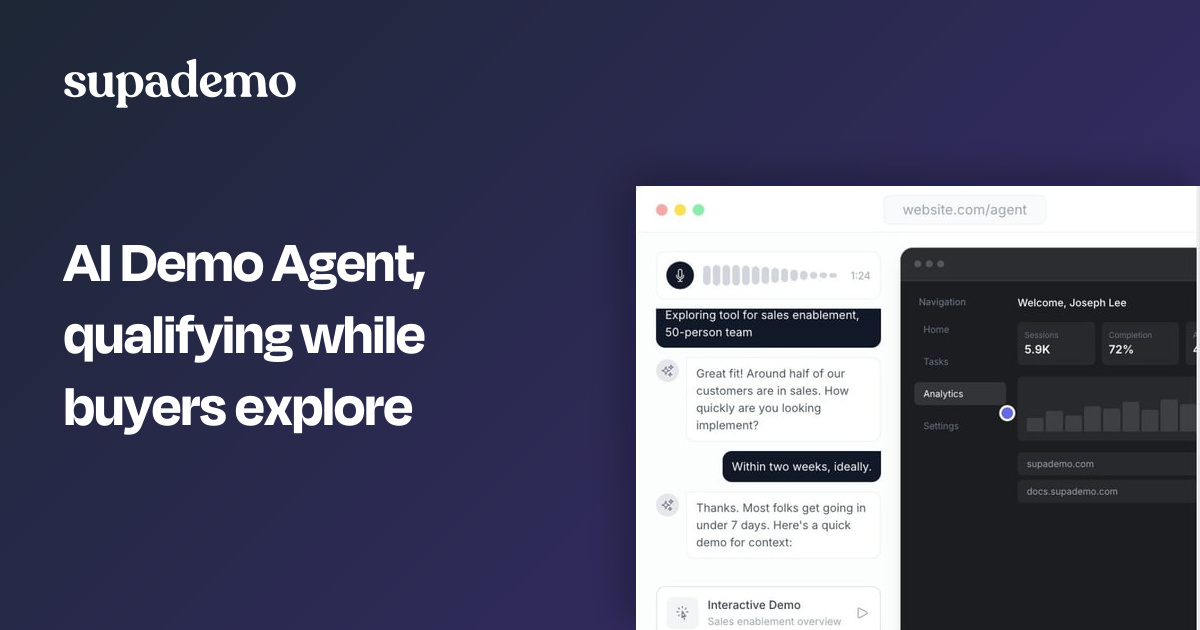
Image: Supademo official site
Supademo’s free plan covers one creator, five guided demos, and 50 video recordings. AI Demo Agent is an add-on to the paid plans, and costs rise with usage. On annual billing, the monthly equivalent is $38 per creator for Scale, $199 for Business, and $350 for Growth. Paid workspaces get 1,500 agent credits for free, with more available for purchase once they run out.
The company says it supports 50 or more languages in both voice and text. Creators have to sign up for a workspace, but website visitors can use it right away without filling out a form. The company says it does not use customer data to train AI models. Instead, the agent refines its answers using materials the user has approved and patterns drawn from conversations. That said, AI-generated explanations can contain errors, so the content needs review.
Figma Agent: create and edit designs by describing them
Figma Agent creates new designs and edits existing ones through conversation, inside Figma Design files. You can generate several alternative layouts to compare, or hand off repetitive edits and review the results. It works on the web and in the macOS and Windows desktop apps.
Image: Figma official site
The free Starter plan includes 150 AI credits a day, up to 500 a month. Paid Full seat pricing is $16 a month for Professional, $55 a month for Organization, and $90 a month for Enterprise. Organization and Enterprise are billed annually. As of October 6, 2026, Agent consumes AI credits.
The Figma interface supports Korean. To actually edit a file, you need a Full seat and edit permissions. The company says content training is on by default for Starter and Professional teams, and that admins can turn it off.
When choosing a tool to cut down your working hours, it is best to check first what the free tier covers and what editing permissions you need. After that, test the quality of its work in Korean and the cost at your actual usage level for yourself.