Penguin Mail 1.0 Lands for Linux, and Its AI Only Works When You Switch It On
A free, open-source app that pulls multiple mail accounts and calendars into one place. The AI stays off until you turn it on, and you can point it at a model running on your own machine or at Anthropic's service.
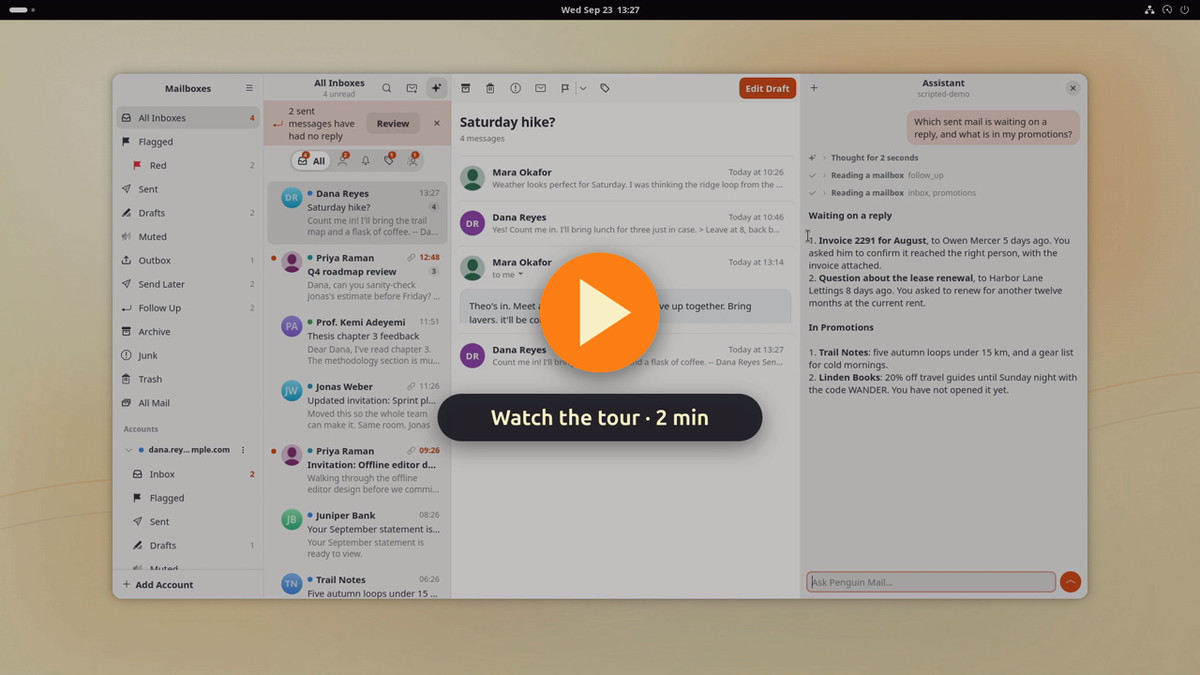
The developer of Penguin Mail, a mail and calendar app for Linux, released version 1.0.0 on October 6 local time. It lets you read mail from several accounts in a single inbox and, if you want it, switch on an AI assistant. The app is open-source software written in Rust and distributed free under the GPL-3.0-or-later license.
Which mail accounts can you connect?
This release widens the range of accounts you can hook up. The changelog lists support for Microsoft accounts and POP3 mail accounts as new features. The ability to connect calendars and contacts from generic mail accounts has also been added.
Gmail uses the connection method Google provides, while Microsoft accounts go through Microsoft Graph. Generic mail accounts rely on IMAP, POP3 and SMTP, the standard protocols for sending and receiving mail. Calendars and contacts only sync when the mail provider supports the CalDAV and CardDAV connection standards.
When does the AI start reading your mail?
The AI assistant is off to begin with. It starts working only once you pick a model yourself. The options include models running locally on your own computer through LM Studio or Ollama, as well as Anthropic’s service.
How far your mail content travels depends on which model you choose. Pick Anthropic’s service and whatever the AI reads is sent to that service. That is worth pausing over if you plan to connect a work account. The app asks for confirmation before it sends mail, edits a calendar entry, or changes certain settings.
What to know before installing
For now, builds target x86_64 Linux. Installers are offered as .deb and .rpm files and as an Arch package, among others. The developer says the app uses roughly 55MB of memory when it is parked in the system tray, the notification area at the bottom of the screen.
Account linking and scheduled sending come with caveats. Signing in with a Google account may trigger a warning that the app has not finished verification. Scheduled sending only works while Penguin Mail is running: even if you set a send time in advance, the app has to be running at that moment. The app languages listed in the official documentation are English and European Portuguese.
The heart of this release is that on Linux you can gather several mail accounts and calendars in one place and still decide for yourself whether to plug in AI at all. For users in Korea, the deciding factors in practice will be whether their chosen mail service supports the required standards, and which languages the app speaks.